


Offline Games No WiFi internet
4.73.20K Reviews
App Specs
- Version
- 3.57
- Updated On
- License
- Free
- Downloads
- 100,000,000+
- Developer
- Fun Offline Games
- Categories
- Casual
- Platform
- Android, iOS
Screenshots
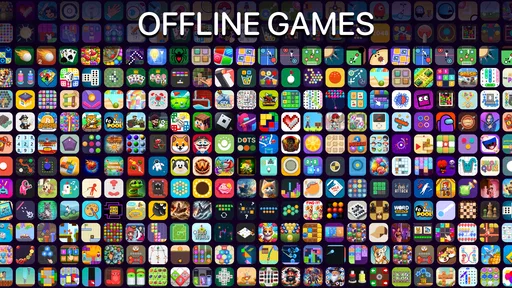
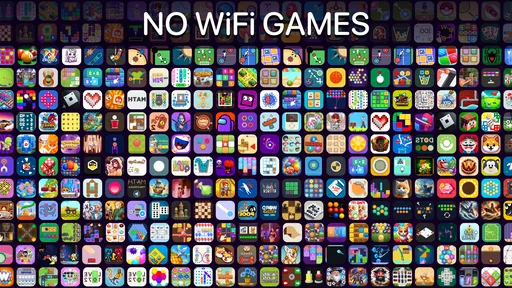
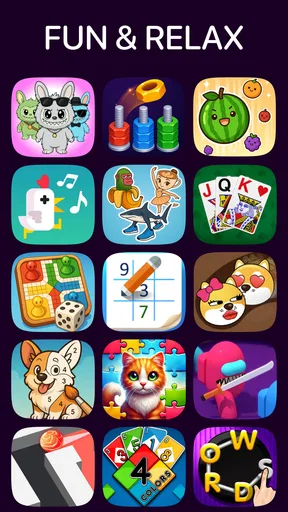
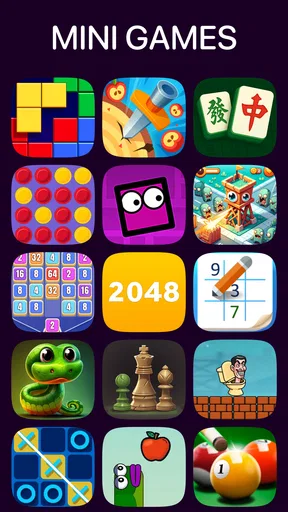
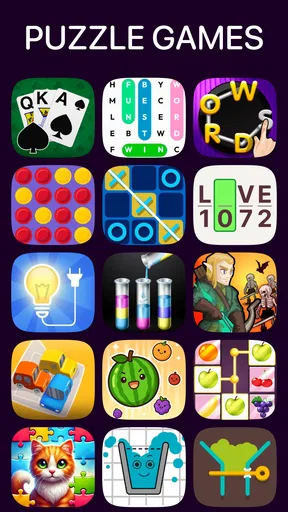
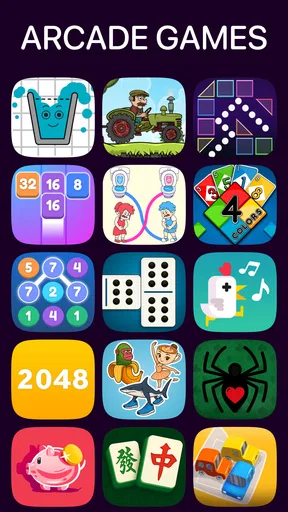
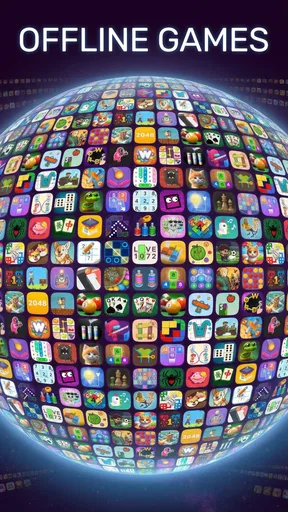
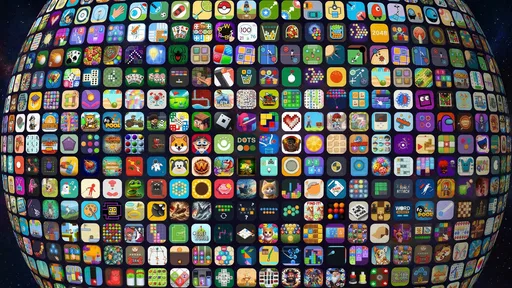
 Analysis by AppCompare
Hey there, fellow gamers! Have you ever been stuck on a long flight or in a remote location with no WiFi in sight, desperately seeking some gaming action? Well, I've got just the thing for you. I recently stumbled upon Offline Games No WiFi internet, and let me tell you, it's a game-changer (pun totally intended).
What makes this casual game useful is less about mastering one deep experience and more about having a handful of different ways to fill a spare moment. Fun Offline Games is the developer, and the app brings several kinds of play together rather than asking you to find, install, and learn a separate title whenever your mood changes. That convenience is its strongest idea: when you want a quick distraction, the choice is already gathered in one place.
I would think of it as a small entertainment shelf for situations where a connection is unreliable or unavailable. It can suit a commute, a waiting room, a break between tasks, or a trip where mobile data is something you would rather conserve. The important practical distinction is that a collection can offer variety, but it may not give any one game the depth or polish of a dedicated puzzle, card, or strategy app. I like the variety, while still seeing it as a casual option rather than a replacement for every game on my phone.
What Makes It Stand Out?
So, what's the deal with this app? It's like a treasure chest of games that don’t need an internet connection. From action-packed adventures to brain-teasing puzzles, there's something for every kind of gamer in this app. I was pleasantly surprised by the variety and quality of the games available.
That range is helpful when I’m not sure what kind of session I want. A puzzle is a natural choice when I want to focus for a few minutes; a card game can feel more familiar and low-pressure; and a more active mini-game may suit a moment when I want quicker feedback. I wouldn’t expect every option to appeal equally, and that is part of the trade-off in a broad collection. Its value comes from being able to change direction without committing to one style for the whole session.
A Dive into the Game Collection
Let’s break it down. The app offers an impressive array of genres. Whether you're into racing, strategy, or just want to unwind with some classic card games, you’ll find it here. I spent an entire afternoon lost in a captivating RPG without even realizing how much time had passed. And guess what? My battery didn’t drain like it usually does with online games. Major win!
The collection also makes sense for people sharing a device or passing time together. The store summary points to two-player play as part of the experience, which gives the app a different use from a purely solo time-killer. It can be a simple way to turn a quiet wait into a short face-to-face contest, without needing both people to settle on a separate online game. I’d treat that as an occasional social extra, not assume that every title in the collection is designed for two people.
Worth Reading Before You Choose

Switching to Android Auto Means Rethinking Your Driving Routine

Google Calendar Makes a Crowded Week Easier to Manage

Baby Panda World Brings Quick Play to Modern Phones, but Its Game Library Feels Busy

ESPN’s Live Game View Makes Following Close Games Easier

QuizzLand Review: A Good Fit for Short Trivia Breaks, Not Every Player

Basketball Stars: Multiplayer Is Fast, but Can It Recover When Matches Go Wrong?
A useful way to approach a large mixed collection is to choose by the amount of attention you have, not just by genre. If I have only a short pause, I’d pick something with an obvious start and finish rather than begin a longer challenge. If I’m settled in for a while, I can experiment with a game I haven’t tried before. This small habit helps avoid spending the whole break browsing and makes the app feel more immediately useful.
One of my favorite discoveries was a puzzle game that challenged my brain without being frustrating. It's perfect for those moments when you want something engaging but not too intense. I also found a few arcade-style games that brought back some serious nostalgia. It was like revisiting my childhood, but on my smartphone!
For families, the age guidance is worth noticing: the game is rated Everyone 10+, so I would check that rating against the age and preferences of the person who will play. The collection’s broad, casual nature may be easier to share than a single game built around one narrow interest, but the rating should still guide that decision. It is a sensible detail to consider before handing over a phone, especially when the device is used by children as well as adults.
The app is free to start, with optional in-app purchases priced from $0.99 to $5.49 per item. I would decide whether those purchases matter to me only after trying the free experience and seeing how often I return. That keeps the decision grounded in actual use rather than paying simply because a collection contains many choices. Anyone who prefers a strictly no-purchase experience should also be mindful of purchase prompts and device settings, particularly if a child will use the phone.
User Experience and Interface
The interface is clean and intuitive, making it easy to navigate through the vast library of games. I appreciated how the app didn’t bombard me with ads every five seconds, which is a huge plus in my book. The download times were quick, and the games ran smoothly without any hiccups. It's clear that the developers put a lot of thought into creating a seamless user experience.
For a collection app, the main test is whether getting from “I have a few minutes” to actually playing feels simple. A menu that exposes different kinds of games can reduce the effort of deciding what to open, but a large choice can also make browsing its own little task. I’d use the first session to try a few different categories and note which ones are worth returning to. After that, the app becomes more useful as a known set of go-to options instead of a library I have to explore from scratch every time.
One practical offline tip is to check the games you want while you still have a reliable connection, rather than waiting until you are already on a train or in a place with weak service. Offline play is the point, but preparing at home gives you a chance to open the app, find the games that suit you, and make sure the experience is ready for the moment you need it. That is a more dependable routine than assuming every part of setup will be convenient when you are already disconnected.
I also wouldn’t use a collection like this as the only plan for a long trip without testing it first. Try the particular games you expect to play, see which ones hold your attention, and keep another offline activity available in case your preferred option does not suit the mood. That is not a criticism unique to this app; it is simply the sensible way to judge a bundle of different mini-games. A quick trial at home tells you more than a long list of genres can.
Installing games is straightforward, and they don’t take up a ton of space on your device. This is perfect for those of us who are constantly battling with storage issues. Just download, play, and enjoy – no fuss, no muss.
Even with a modest footprint, storage is still worth thinking about on a phone that is nearly full. I’d avoid installing everything at once just because it is available. Start with the few types you are likely to use, then decide whether the less familiar options deserve room. That approach keeps a casual collection from becoming another pile of apps I forget about, and it makes it easier to tell which parts are genuinely earning their place.
The app is listed as version 3.51, with Android 7.0 as the minimum operating-system requirement. That gives Android users a quick compatibility check before they install, particularly if they keep an older phone as a travel or backup device. The game has been available since August 1, 2020, so it is not a brand-new release. A current version number is useful context, but it does not by itself tell me how often the experience changes or what any particular update contains.
For existing users, the practical question is whether the collection continues to fit the way they use their phone: does it remain a convenient place to find a quick puzzle, a card game, or another short diversion? I would judge an update by whether it improves that everyday flow, not by the version number alone. If the games I rely on still suit my breaks and work offline as expected, the app has done its job for me; if I want more depth or a specific new challenge, a dedicated title may be a better addition.
Perfect for Offline Adventures
Whether you’re commuting, traveling, or just trying to save on your data plan, Offline Games No WiFi internet has got your back. It’s a reliable companion for those times when you’re off the grid but still craving some gaming fun. I’ve already recommended it to a few friends, and they’re just as hooked as I am.
Here is the sort of everyday situation where I see the collection working well: I’m waiting for an appointment, my phone has no dependable connection, and I want something more involving than scrolling but less demanding than starting a long game. I can open a puzzle for a focused few minutes, then switch to a card-style option if I want something calmer. If someone is with me, a two-player choice may turn the wait into a shared activity. The appeal is not that every moment becomes thrilling; it is that I have a few different kinds of low-effort entertainment ready.
Compared with downloading one dedicated puzzle game, this collection is more convenient when I want variety and less compelling when I already know exactly what I want to play. A specialist puzzle app may offer a more consistent challenge or a more focused progression, while this game’s broader casual mix is better suited to sampling and switching. The same trade-off applies to card games: someone who plays cards seriously may prefer a title built specifically around that pastime, but a casual player may value having cards alongside other options.
It also differs from online multiplayer games in a useful way. If the main reason I play is to compete with friends who are somewhere else, an offline collection is not the right substitute. Its strength is having something available when connectivity is inconvenient, and the two-player element is more relevant when another person is nearby. That distinction helps set expectations: this is for accessible local entertainment, not a way to keep up with an online community or a live competitive scene.
The ratings suggest that plenty of people have found a reason to keep it installed: it has a 4.5 average from around 525,000 ratings, along with roughly 2,600 written reviews. It has also passed 100 million installs. Those figures point to a widely used casual game, but they cannot tell me whether a particular mini-game will match your taste. I’d use them as reassurance that the app has broad appeal, then make my decision based on whether its mix fits the way I actually spend downtime.
Who is it best for? I’d recommend it to someone who wants several light options in one place, often has patchy connectivity, or likes being able to move between puzzles, cards, and other casual play. It can also suit a household that wants a simple shared game collection, provided the Everyone 10+ rating works for the players. It is especially appealing if you dislike choosing a single genre before you know what kind of mood you will be in.
Who should skip it? If you want a deep story, carefully balanced competitive play, or a single game with a long-term progression system, a dedicated title is likely to serve you better. It is also not an ideal choice for someone whose priority is online play with distant friends. And if you only enjoy one particular kind of puzzle or card game, the convenience of a bundle may not outweigh the more focused experience of an app devoted to that one activity.
In a world where we’re always connected, it’s refreshing to have a selection of games that let you disconnect for a bit. So next time you find yourself in a WiFi-less zone, remember this app is just a tap away, ready to keep you entertained without eating up your data.
My main caveat is that “many choices” should not be confused with “every choice is a keeper.” A mixed casual collection naturally asks you to sort through options, and some will appeal more than others. I would give it a fair trial by testing a puzzle, a card option, and one more active game, then keep using the ones that genuinely fit my breaks. If none of those styles clicks, the better answer is not to keep browsing indefinitely; it is to choose a more specialized game.
When deciding whether to install, I’d also consider how I normally use my phone. If I often have a few minutes between errands, prefer not to rely on mobile data, and like changing activities, the free entry point makes it easy to try. If I rarely play casual games or care mainly about one polished, substantial experience, the collection may become an unused icon. In-app purchases are optional, so I would not treat them as a reason to buy in advance; first see whether the available play is enough for your routine.
Fun Offline Games has made a casual game with a clear practical purpose: keep a variety of small diversions handy when a connection is not part of the plan. Its strongest fit is the player who values flexibility over depth and wants a straightforward way to fill short gaps. I find that a useful idea, as long as I approach it as a compact collection rather than expecting one title to replace a dedicated game in every genre.
Happy gaming, and may your offline adventures be epic!
Pros
- No internet needed for gameplay.
- Variety of genres available.
- Battery-friendly design.
- Quick loading times.
- User-friendly interface.
Cons
- Limited multiplayer options.
- Some games offer in-app purchases.
- Graphics may be basic.
- Updates require internet.
- Ads in free versions.
FAQs for Offline Games No WiFi internet
What types of games are available in the Offline Games No WiFi app?
The Offline Games No WiFi app offers a diverse range of games across various genres, including puzzles, action, strategy, and casual games. This variety ensures that there is something for every type of gamer, whether you enjoy solving complex puzzles or engaging in thrilling action sequences.
Do I need an internet connection to play these games?
No, the primary feature of the Offline Games No WiFi app is that all the games can be played without an internet connection. This makes it perfect for playing during travel or in areas with limited connectivity, ensuring uninterrupted gaming sessions.
Are there in-app purchases or ads in the Offline Games No WiFi app?
While the app is free to download, it may contain ads, as well as optional in-app purchases to unlock additional features or remove ads. This allows users to enjoy a basic experience for free, with the option to enhance gameplay if desired.
How frequently are new games added to the Offline Games No WiFi app?
The app is regularly updated to offer new games and features. This ensures that users always have fresh content to explore, keeping the gaming experience engaging and exciting. It's recommended to check the app's update notes for the latest additions.
Is the Offline Games No WiFi app suitable for children?
Yes, the app includes games that are suitable for children, but it's always a good idea for parents to review them to ensure they align with their comfort level. Parental controls and guidance can be used to manage game access and screen time effectively.


